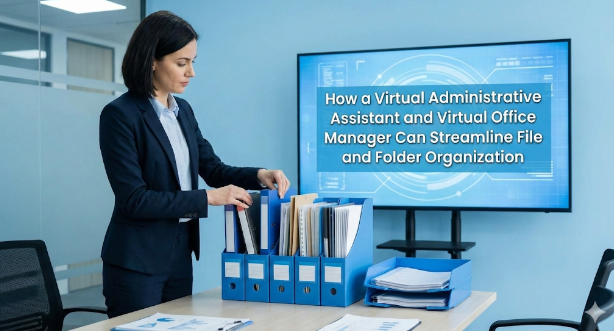
Information is only useful if you can get to it in a business that is growing. Files that are hard to find, have bad names, are duplicated, or are stored in a way that isn’t organized can quickly slow down work, make mistakes more likely, and put compliance at risk. This is why most businesses are expected to have a clear, logical way to organize files and folders that makes it easy to find information, keeps it safe, and keeps it up to date.
As more and more businesses move their operations to the cloud and work from home, the jobs of virtual administrative assistants and virtual office managers have become very important for keeping digital files organized, consistent, and accountable. With the right systems in place, these professionals can get the same or better results as in-house staff without the extra costs.
What Effective File and Folder Organization Looks Like
A well-run business usually has a folder structure that is the same as its main functions, like finance, HR, operations, projects, and clients. Files in each category are named according to standard rules that make it easy to see what type of document it is, what version it is, and when it was created. This method makes it easy for anyone in the company to see where a file belongs and how up-to-date it is.
Good file management goes beyond just naming and organizing files. It also means keeping personal and work-related documents separate, limiting access to sensitive information, and regularly reviewing or archiving files that are no longer needed. These practices help with following the law, keeping data safe, and running things more smoothly. Organization has a direct effect on productivity and collaboration, whether files are stored on a computer or in the cloud.
A virtual office manager usually oversees these systems at a high level to make sure they follow company rules. A virtual administrative assistant, on the other hand, takes care of the day-to-day running and upkeep.
How Modern Businesses Manage Files Today
Most companies now use standardized digital systems that are based on cloud storage platforms like Google Drive, OneDrive, or other similar tools. Employees know exactly where each type of file should go because documents are stored in shared spaces with a clear folder structure based on department, project, or timeline.
Companies use version control and permission settings in their document management tools to keep systems clean and usable. They also set rules for how to name files, like including dates, client names, or document types. Regularly deleting and archiving old records keeps things neat and tidy while still following the rules and keeping things safe.
A virtual administrative assistant is very important for making sure that these rules are always followed, especially in teams that work from different places or are spread out.
How Much Manpower Is Really Needed?
There is no set number of people needed to organize files and documents. The need depends on the size of the business, the number of documents, the rules that must be followed, and how much of the process is automated.
Small businesses often ask their current administrative, operations, or HR staff to organize documents as a part-time job. As a business grows and more rules must be followed, it may hire a small team to handle records and document management. This team will set policies, check systems, and make sure the rules are followed. Meanwhile, employees will file papers according to standard procedures.
But a lot of businesses now use a virtual administrative assistant or virtual office manager to handle these tasks from a distance, so they don’t have to hire more people. Modern cloud tools cut down on a lot of manual work, which means that fewer experts are needed to keep a professional system running.
What a Virtual Administrative Assistant Can Handle
A virtual administrative assistant can handle most of the daily document organization tasks, freeing up business owners and managers to work on more important things.
Some common tasks are:
• Setting up and keeping standard folder structures in cloud storage services like Google Drive, OneDrive, or Dropbox
• Setting up shared folders for the team and controlling who can see them according to your instructions
• Following and enforcing rules for naming files, such as dates, client codes, and version numbers • Renaming new documents to fit standards and getting rid of duplicates or old versions
A virtual administrative assistant keeps small problems from becoming big ones by consistently doing these tasks.
Ongoing Maintenance and File Hygiene
Organizing files isn’t a one-time job; you have to keep up with it. A virtual office manager or virtual administrative assistant can do “file hygiene” checks every week or month to make sure everything is in order.
Sorting through new uploads, closing old project folders, archiving finished work, updating document indexes, and making sure all files are stored in the right place are some of the things that happen often. They might also work with your internal team to make simple SOPs and checklists so that everyone follows the same rules.
Your virtual support professional keeps an eye on compliance, points out gaps, and keeps systems clean with little disruption, so you don’t need a full-time records team.
Why This Approach Is Cost-Effective
It is usually much cheaper to hire a virtual office manager or virtual administrative assistant than to hire full-time, in-house administrative or records staff.
You can change the number of hours you work based on how much work you have to do. For example, you might need more help during setup and fewer hours during routine maintenance. This flexibility gets rid of the fixed costs of salaries, office space, hardware, and other overhead that come with having employees on-site.
You can get a professional level of organization without having to hire an internal department by using modern document systems that have automation features like templates, search functions, and auto-saving.
Virtual vs In-House: Key Differences
Digital-first businesses can benefit from virtual support in ways that in-house administrative or records staff cannot. A virtual administrative assistant usually costs less overall, is more flexible, and can often set up systems faster because they have worked with many cloud platforms.
A virtual office manager keeps an eye on the big picture and makes sure that policies, access controls, and standard operating procedures (SOPs) are always followed. In-house staff may know more about the company’s culture or physical documents, but virtual professionals are best at working in cloud-based environments where processes are clear.
In both models, everyone is still responsible for keeping data safe. This means carefully limited access, NDAs, and role-based permissions for virtual staff. Policies and monitoring are still important to stop mistakes or misuse when you have staff on site.
Is a Virtual Solution Right for Your Business?
For digital businesses that work in the cloud and can set clear security and workflow limits, hiring a virtual office manager and a virtual administrative assistant is often the best way to grow and get things done. These experts help keep things running smoothly, cut down on mistakes, and encourage teamwork, all without adding extra work.
In-house staff may still be better for places where there is a lot of paperwork or in highly regulated industries that need constant on-site supervision. For most modern businesses, though, virtual support is the best choice because it offers the right mix of cost, flexibility, and expertise.
You can turn file and folder organization from a constant headache into a quiet, reliable system that just works by putting money into structured processes and the right virtual support.