How a Virtual Assistant Can Help Set Up Various AI Tools
AI tools can help businesses run more smoothly, save time, and boost productivity, but setting them up can still be a lot of work. A virtual assistant can help with that by researching tools, organizing workflows, connecting apps, and showing teams how to use AI well.
Why AI setup needs support
A lot of companies want to use AI for things like scheduling, handling emails, making content, helping customers, and automating tasks, but they aren’t always sure where to begin. A virtual assistant can help you choose the right tools for your business, make sure they fit your workflow, and save you time by not using software that doesn’t work.
What a virtual assistant can do
A virtual assistant can help set up AI in a number of useful ways. They can look at different tools, get information on prices and features, write down use cases, and make a simple plan for how to use them.
They can also help with:
- Setting up AI scheduling tools for calendars and meetings.
- Configuring AI writing tools for emails, posts, and documents.
- Connecting automation tools like Zapier or Make to reduce repetitive work.
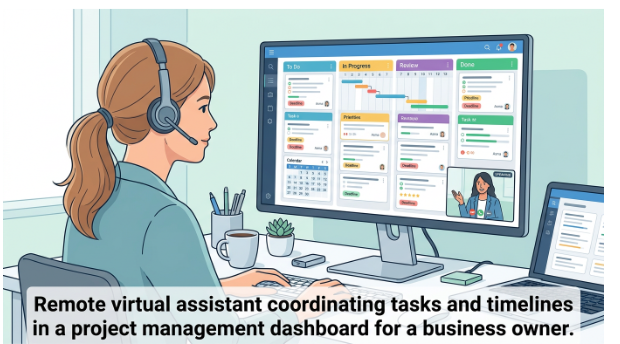
- Organizing project management tools with AI features for task tracking and notes.
- Preparing knowledge bases and workflows for AI chatbots or assistants.
Best way to start
It’s best to start with one clear use case instead of trying to automate everything at once. A virtual assistant can help you figure out which task takes the most time, set up one tool, test it with the team, and then add more tools once the process is running smoothly.
Things a VA might set up a lot
A virtual assistant can help businesses get started with tools like Microsoft Copilot, ChatGPT-based workflows, Notion AI, Grammarly, Canva AI, Zapier, Motion, Reclaim, and Clockwise. People often use these tools to write, make plans, manage tasks, talk to each other, and automate their workflows.
Benefits for businesses
Businesses can work faster and avoid technical problems by having a virtual assistant set up AI. Someone is also in charge of the paperwork, training, and follow-up, which means they get more consistency, fewer mistakes, and an easier time adapting.
A virtual assistant is not just helpful for day-to-day admin work; they can also be a valuable partner in setting up AI tools. By choosing the right platforms, connecting systems, and supporting adoption, a VA helps businesses use AI in a practical and efficient way.
When virtual assistants use AI tools like Zapier and Copilot, they tend to do better when they see them as part of a bigger system that includes data, permissions, workflows, and people instead of as magic buttons. When they don’t pay attention to those foundations, hidden integration problems show up as silent failures, inconsistent data, and “nobody is actually using this” issues.
Where virtual assistants usually succeed
Instead of saying “use AI everywhere,” virtual assistants do their best when they start with clear tasks, like “reduce lead follow-up time by 50%” or “summarize client emails into ClickUp.”
They also work well when they keep track of Zaps/automations and Copilot use cases in a simple log, document workflows, and map out which apps talk to which. This makes it easy to find problems.
Cross-cutting reasons VA-led AI projects fail
The failure patterns for Zapier, Copilot, and other AI tools are surprisingly similar.
1. There is no clear problem statement or success metric.
When people use AI as a “shiny thing” instead of to solve a specific problem, projects stop or get canceled as soon as there is a problem.
Virtual assistants do well when they use a before-and-after metric for each automation or Copilot use case. For example, they could use the number of manual touches per lead or the amount of time spent writing weekly reports.
2. Bad data and bad process hygiene
AI tools that need clean inputs and predictable workflows are hurt by messy CRMs, inconsistent naming, missing required fields, and undocumented processes.
Standardizing fields, making sure that required data is present at the source app, and writing simple SOPs for each automated process before connecting it to Zapier or Copilot are all ways to fix the problem.
3. Not realizing how hard it is to integrate
A lot of organizations think, “It’s just a chatbot” or “It’s just one Zap,” but what they’re really doing is making multi-agent systems where multiple tools share state with each other.
Even small technical problems can ruin whole experiences if states (verified/not verified, open/closed, synced/not synced) aren’t carefully designed.
4. Not doing tests and iterations
Without phased rollout, user feedback loops, or monitoring, teams often go from a perfect demo to full production. This leads to complaints and abandonment.
Successful VAs test with a small group of people, use instrument logs or dashboards, and change prompts, steps, and filters based on how people actually use them, not what they think will work.
5. Not paying attention to how people change
If training and communication are poor, workers may be afraid of being replaced, feel overwhelmed by new tools, or just go back to their old ways.
Clear “what’s in it for me” messages, short training sessions for specific roles, and easy ways to escalate problems all make it much easier for people to adopt.
A practical checklist for virtual assistants
Here’s a short guide to help you set up tools like Zapier and Copilot for clients:
Set the problem and the metric
For example, “Cut manual data entry from leads to CRM by 70%,” or “Have Copilot write 80% of standard client emails.”
Make a map of the systems and permissions.
Make a list of all the apps involved, their owners, the fields that need to be filled out, and who should be able to access what. Before connecting AI, clean up permissions and data.
Start with one small, high-value use case.
One Zapier flow or two to three Copilot prompts for each role; don’t automate every edge case in version 1.
Make it easy to see what’s going on, not just the paths to success.
Set up logs, alerts, and backup routes (like “on error, send to VA inbox”). At first, check the Zap History and Copilot usage dashboards once a week.
Pilot, train, and then grow
Start with a small group, get real feedback, change the prompts and steps, write down what you did, and then add more users and situations.